SeedreamV55

Seedream 5.5: Features, Prompt Examples & Free Trial

Seedream 5.5 is ByteDance Seed's image generation and editing model, released on November 9, 2026. Compared with Seedream 5.0 Pro it adds native transparent output and layer decomposition, keeps unedited areas stable across many editing rounds and renders dense text more accurately. Below: what each feature does, the sizes you can generate, and prompts we tested.

Key features

Native transparent background (RGBA)

Native alpha channel, no separate background removal: the model returns a PNG with full or partial transparency. On SeedreamV55, switch on "Transparent background" — the request is sent as background=transparent with PNG output.

Stable multi-round editing

Unedited regions stay the same while you keep changing one part of an image — across 100 rounds of editing, according to ByteDance Seed's blog. The edit endpoint takes up to 10 reference images, referenced in the prompt with #. SeedreamV55 currently offers text-to-image only.

Layer decomposition

Splits a finished image into separately editable PNG layers, each with a z_index (stacking order), a bounding_box (position) and a layer name. According to AtlasCloud, one image can be split into up to 99 layers. Not yet available on SeedreamV55; no PSD export.

Dense, accurate text

In ByteDance's own test on dense mixed Chinese–English text, severe text errors fell to 0.4% and minor errors to 1.7% (Seed blog). Quote the exact words in your prompt and proofread names and numbers before you publish.

Sizes and cost

ResolutionApprox. pixelsCredits per imageFree (no sign-up)
1K~1 MP (e.g. 1024 × 1024)20—
1.5K~2.4 MP (e.g. 1536 × 1536)202 free images a day, no sign-up
2K~4.2 MP (e.g. 2048 × 2048)27—

Aspect ratios: auto, 1:1, 4:3, 3:4, 16:9 and 9:16.

Seedream 5.5 prompt examples

Prompts we ran on Seedream 5.5, with the image each one produced. Click to load a prompt into the generator below.
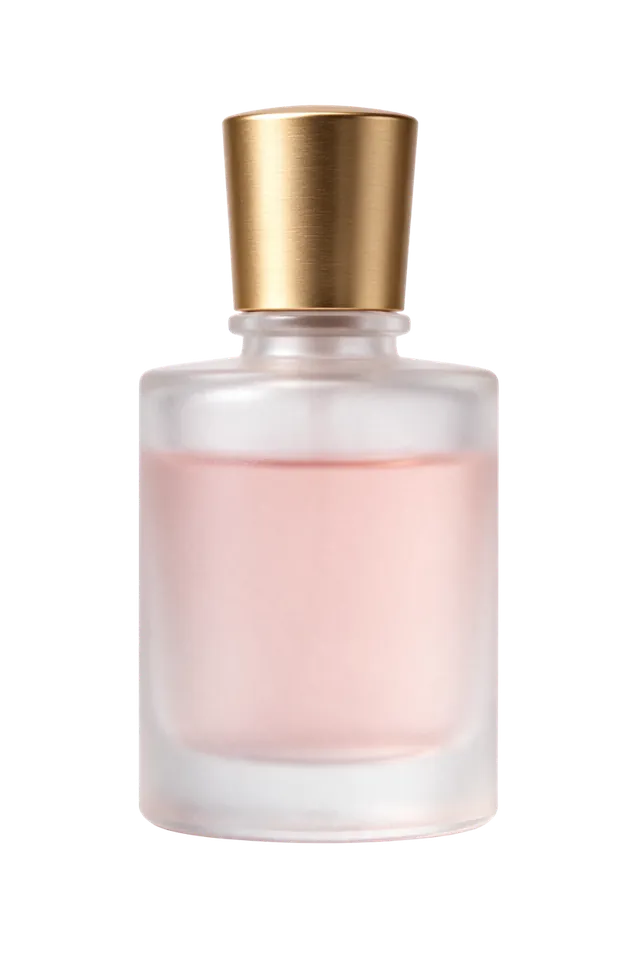
Transparent product cut-out — generated with Seedream 5.5

Transparent product cut-outtransparent PNG

A frosted glass perfume bottle with a brushed gold cap and soft pink liquid inside, studio product shot, single isolated object, soft shadowless lighting

Die-cut sticker — generated with Seedream 5.5

Die-cut stickertransparent PNG

A cute cartoon fox sitting and waving, sticker style with a thick white die-cut border, flat vector colors, single isolated sticker

Poster with exact text — generated with Seedream 5.5

Poster with exact text

A clean minimalist product poster for a white ceramic coffee mug on a pale sand background, large headline "MORNING RITUAL" at the top, and below it one line of small body text that reads "Hand-glazed stoneware · 350 ml · Dishwasher safe", soft morning daylight, editorial layout

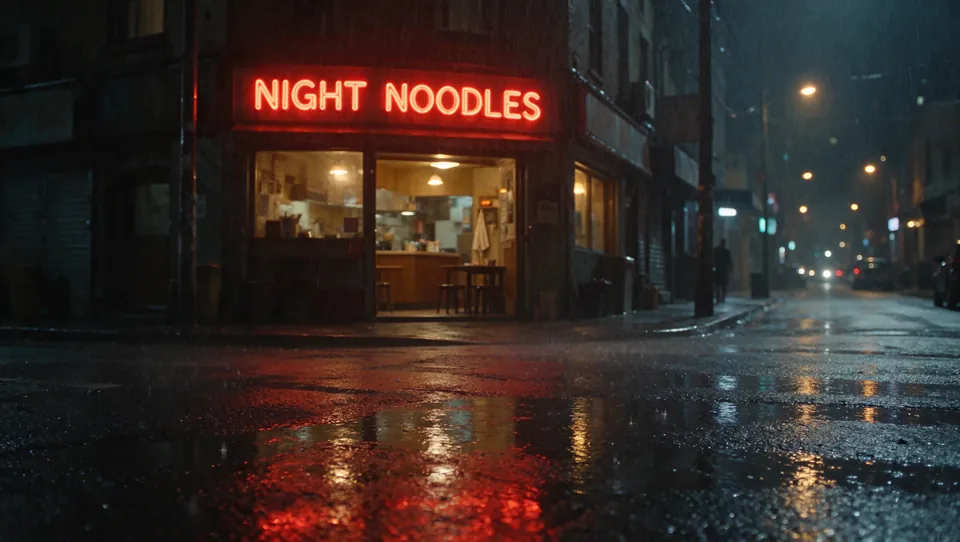
Neon sign at night — generated with Seedream 5.5

Neon sign at night

A small noodle bar on a rainy city street at night, a red neon sign above the door that reads "NIGHT NOODLES" in bold letters, warm light from inside, reflections on the wet pavement, cinematic photo

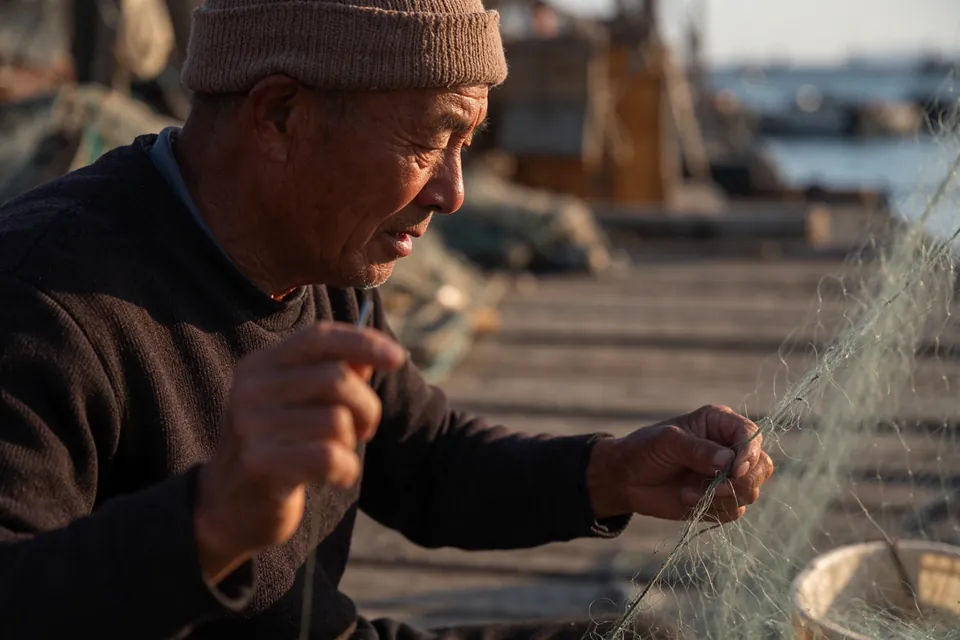
Natural-light portrait — generated with Seedream 5.5

Natural-light portrait

Natural-light documentary portrait of an elderly fisherman mending a fishing net on a wooden pier at golden hour, weathered skin texture, knitted cap, shallow depth of field

Try Seedream 5.5

Try it free

Transparent background

Native alpha channel (PNG) — no separate background removal.

Free: 2 free images a day, no sign-up (1.5K). Sign in for 1K / 2K, other aspect ratios and up to 4 images per run.

Free · 1 image · 1.5K
Your image appears here.

Questions about Seedream 5.5

What is Seedream 5.5?

Seedream 5.5 is an image generation and editing model from ByteDance Seed, released on November 9, 2026. It focuses on realistic images, accurate small text, native transparent output and stable multi-round editing.

What is new compared with Seedream 5.0 Pro?

Native transparent (RGBA) output, layer decomposition into separately editable PNG layers, more stable editing across many rounds, and more accurate dense text, according to ByteDance.

How do I write a good Seedream 5.5 prompt?

Describe the subject first, then style, lighting and layout. Put any text that must appear in the image inside quotes, in the language you want, and say where it goes. For transparent assets, describe a single isolated object and turn on Transparent background.

Can I edit images with reference pictures on SeedreamV55?

Not yet. SeedreamV55 currently offers text-to-image only. The Seedream 5.5 edit endpoint accepts up to 10 reference images, referenced in the prompt with #; we will add an editing tool once it is ready.

How much does Seedream 5.5 cost here?

2 free images a day, no sign-up (1.5K). With an account, a 1K or 1.5K image costs 20 credits and a 2K image costs 27 credits.