
Seedream 5.5 Transparent Background Generator
Generate transparent PNGs straight from a prompt: product cut-outs, die-cut stickers and isolated objects with a real alpha channel. Transparent background is already switched on below. Sign up free and get 5 images.
Reference images (optional)
Add up to 4 images to edit or combine — PNG, JPG or WebP, max 10 MB. +8 credits per image.
Transparent background
Native alpha channel (PNG) — no separate background removal.
Transparent PNG examples
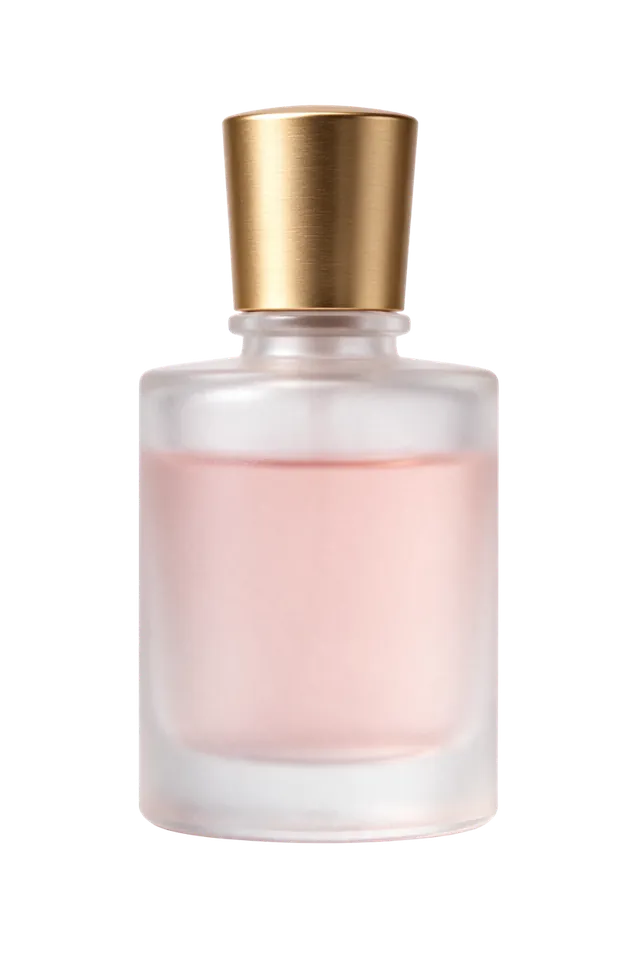
Transparent product cut-outtransparent PNG
A frosted glass perfume bottle with a brushed gold cap and soft pink liquid inside, studio product shot, single isolated object, soft shadowless lighting

Die-cut stickertransparent PNG
A cute cartoon fox sitting and waving, sticker style with a thick white die-cut border, flat vector colors, single isolated sticker
What you can make
Product cut-outs
A product on a transparent background, ready to drop onto a listing, banner or slide in any color. Glass, liquid and soft shadows keep their semi-transparent edges.
Die-cut stickers
A sticker with a white die-cut border and nothing behind it — ready for a print shop, a sticker sheet or a chat app.
How to get a transparent PNG
- Describe one isolated subject, for example “a frosted glass perfume bottle, single isolated object”.
- Keep Transparent background switched on.
- Generate, then download the PNG. Transparent areas show as a checkerboard in the preview.
Native transparent output is new in Seedream 5.5, according to ByteDance Seed. More features on the Seedream 5.5 page.
Transparent background: questions
Does Seedream 5.5 make a real transparent background?
Yes. With Transparent background on, Seedream 5.5 returns a PNG with an alpha channel. The background pixels are transparent, not white or a checkerboard drawn into the image.
Which file format do I get?
PNG. Transparency needs an alpha channel, so the generator always outputs PNG when Transparent background is on.
Do I still need a background remover?
No. The model generates the subject on a transparent background in one step, so there is no separate cut-out pass and no halo left by a mask.
How do I write a prompt for a transparent PNG?
Describe one isolated subject — a product, a sticker, an icon — and say it is a single isolated object. Leave out scenery and floors, which give the model a background to draw.
Is it free?
Sign up free and get 5 images. Transparent images count the same as any other image.